iPhone install
Put the game onyour iPhone
One tap to install, then four taps in Settings so iOS lets it run. Keep the phone in your hand — the screenshots below are the exact screens you will see.
iPhone says "Untrusted Enterprise Developer"?
iOS shows this the first time you open an app that did not come from the App Store. Your download is fine and the game is already installed — iOS is only waiting for you to say it may run. Tap Cancel on the warning, then do this once.
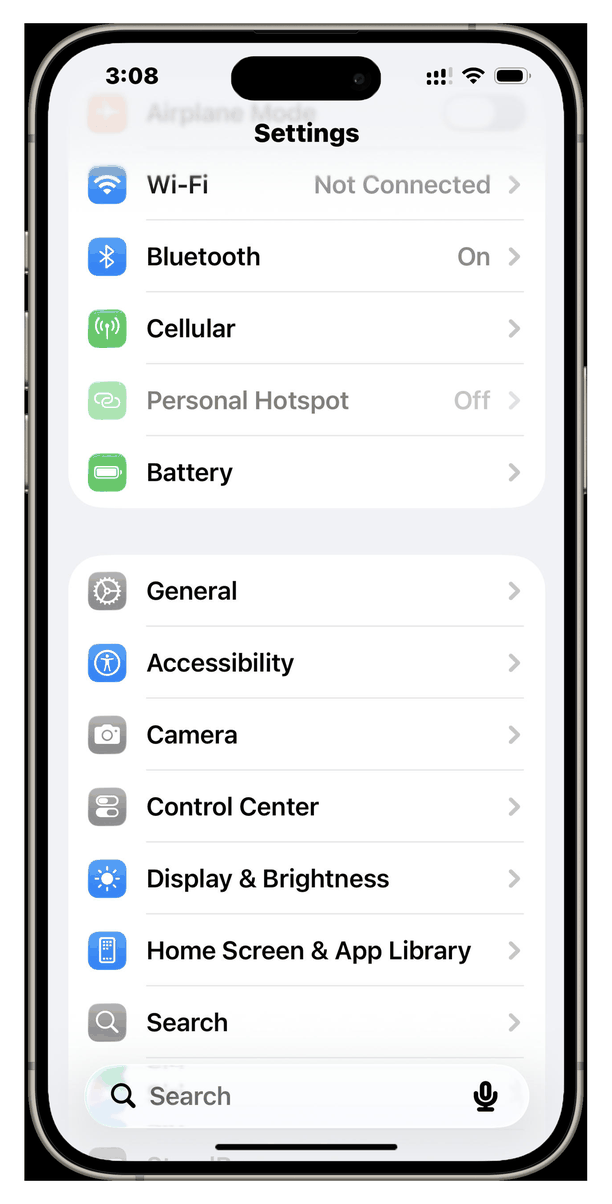
- 1Open "Settings" and go to "General".
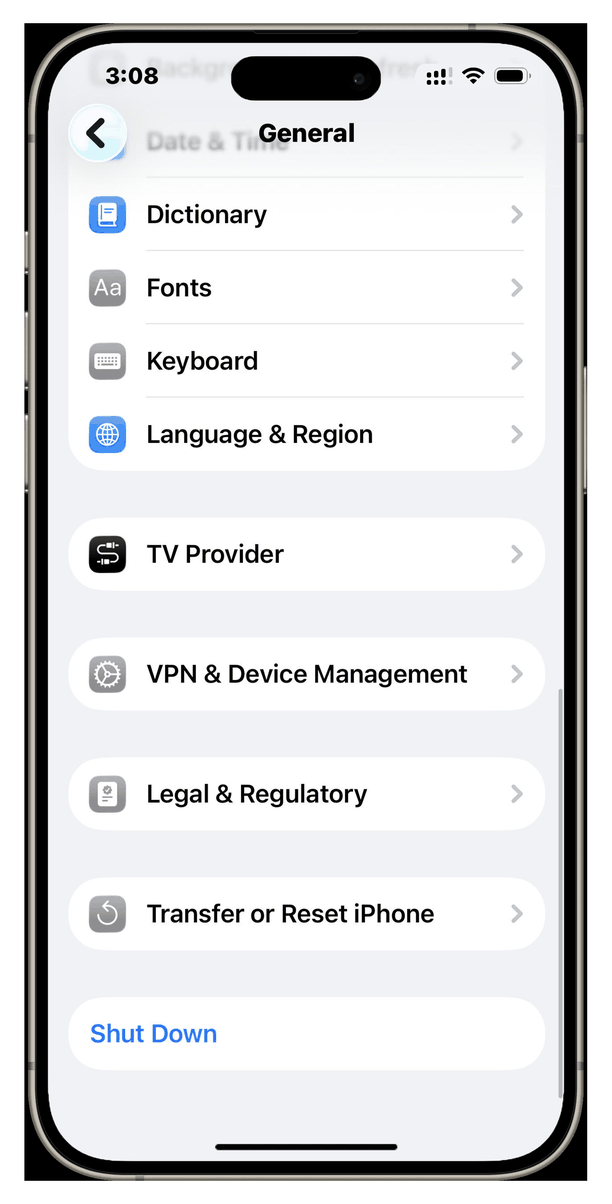
- 2Select "VPN & Device Management" in General.
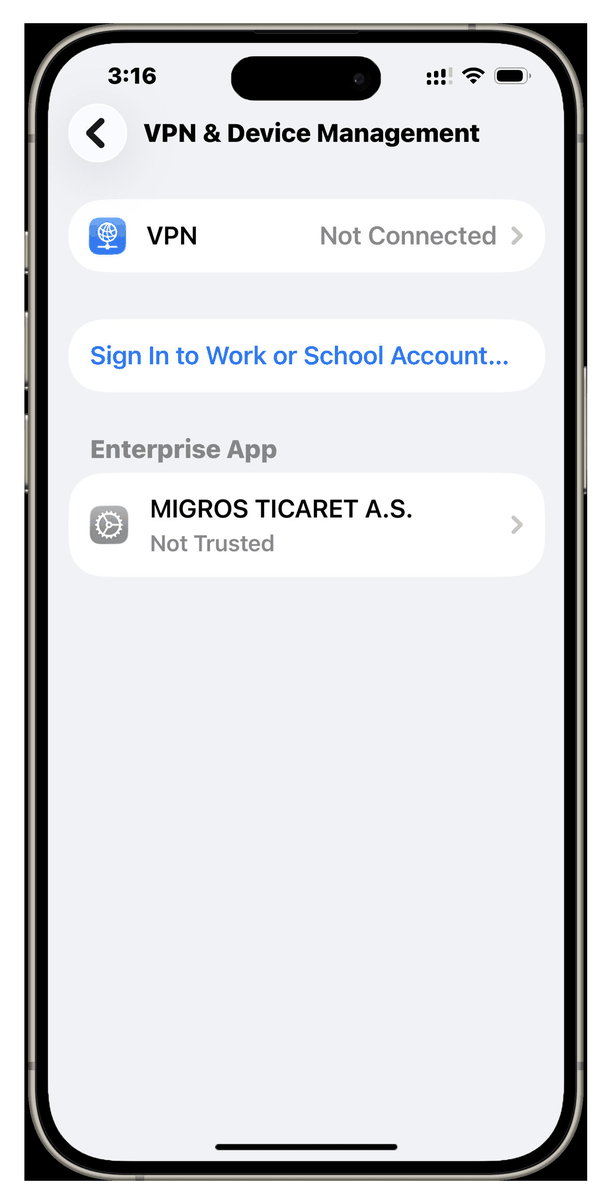
- 3Find the enterprise app and tap on it.
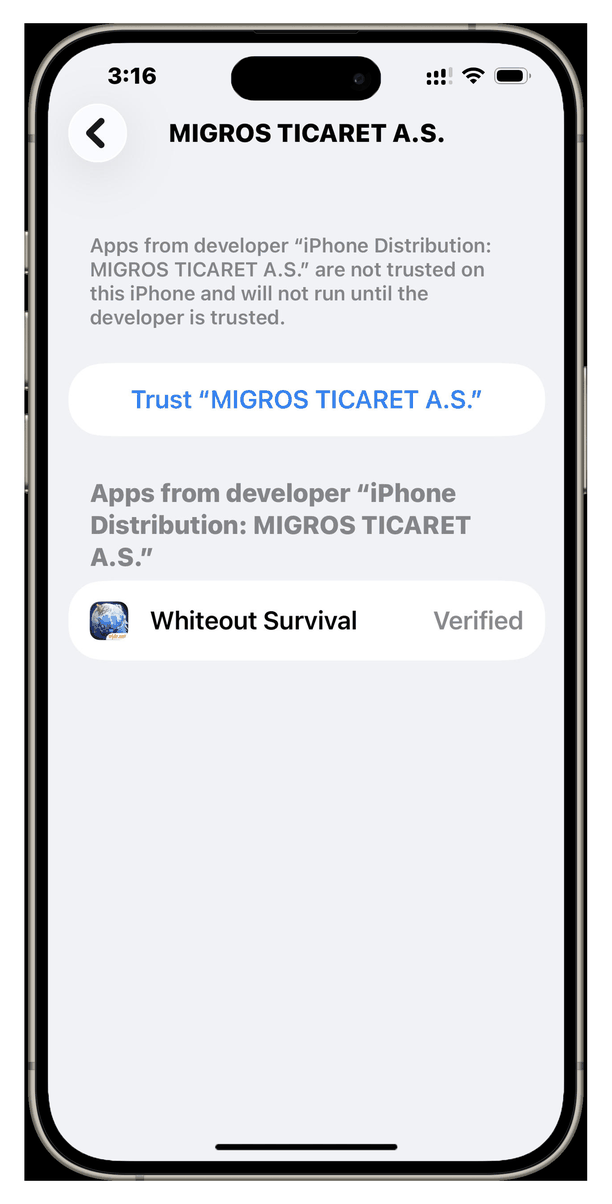
- 4Tap "Verify App", then return to home screen.
No VPN & Device Management row in the General list? Then the app has not finished installing. Go back to the download, wait until the game icon appears on your home screen, and open it once — the row shows up after that.